


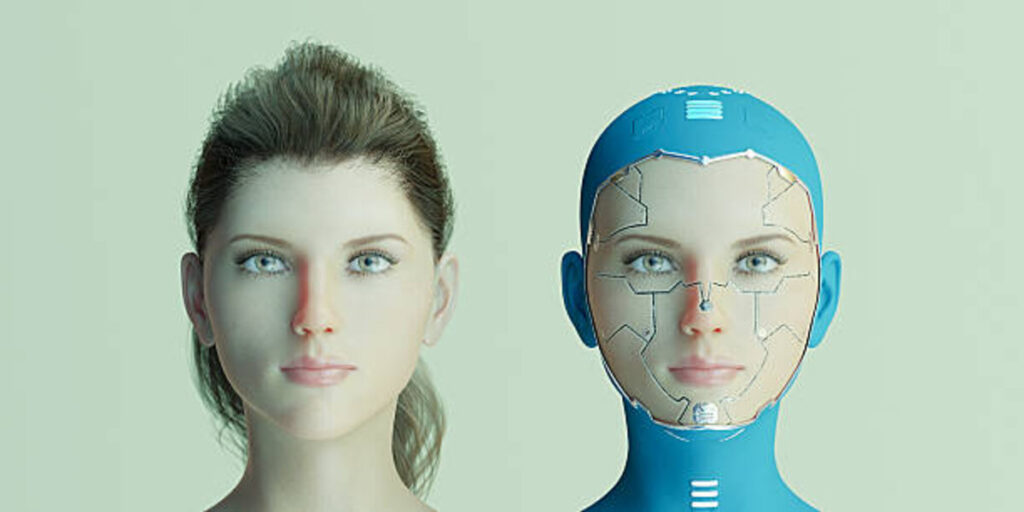
Swapping faces used to require hours in Photoshop and a degree in digital editing. Now, AI-powered tools can create realistic transformations in seconds—no technical skills required.
After two weeks of testing every major face swap platform on the market, I’ve identified the tools that actually deliver on their promises. This guide breaks down the 10 best options for creators, marketers, and developers who need professional results without the professional learning curve.
The face swap tool landscape has changed dramatically in the past year. Quality has plateaued across platforms, meaning the differences now come down to speed, workflow integration, and specific use cases rather than raw AI capability.
I guarantee at least one of these tools will meet your needs.
Quick Comparison: Best Face Swap Tools at a Glance
| Tool | Best For | Formats | Platforms | Free Plan | Starting Price |
| Magic Hour | All-around creativity | Photo, Video, GIF | Web, API | Yes (400 credits) | $10/mo |
| DeepSwap | Maximum realism | Photo, Video, GIF | Web | Limited | $9.99/mo |
| Reface | Viral social content | Photo, Video | iOS, Android | Yes (watermark) | $3.99/mo |
| Swapface | Live streaming | Video, Real-time | Desktop (Windows, Mac) | Yes | Free |
| Pixlr | Quick photo edits | Photo only | Web, Mobile | Yes | Free |
| Akool | Marketing campaigns | Photo, Video | Web, API | Yes (Basic) | $30/mo |
| PhotoDirector | Photo professionals | Photo, Video | Desktop, Mobile | Trial | Varies |
| FaceMagic | Mobile creators | Photo, Video | iOS, Android | Yes (limited) | $9.99/mo |
| Vidwud | Budget projects | Photo, Video | Web | Yes (unlimited) | Free |
| Arting.ai | Long-form video | Video | Web | Yes | Free |
1. Magic Hour – Best Overall AI Face Swap Tool
Magic Hour stands out as the most complete creative platform I tested. Unlike tools that focus solely on face swapping, Magic Hour integrates multiple AI capabilities into a single workflow, including face swap tool, lip sync, image-to-video, animation, and text-to-video generation.
I tested challenging scenarios that expose AI limitations: group videos with multiple faces, poor lighting conditions, extreme side angles, and rapid head movements. Magic Hour handled these edge cases better than most competitors, demonstrating more robust underlying technology.
The platform works entirely in your browser with no installation required. You can upload photos, videos, or even YouTube URLs, and the AI handles face detection and replacement automatically while maintaining natural lighting and expressions.
Pros:
- Exceptional quality with realistic skin tone matching and lighting adaptation
- Supports both photo and video face swaps with frame-by-frame precision
- Multiple face mapping allows swapping several faces in one video
- 4K output available on higher tiers
- Commercial use rights included on paid plans
- No watermark on Creator plan and above
- API access for developers and high-volume workflows
- Comprehensive creative suite beyond just face swapping
- Free plan includes 400 credits to get started
Cons:
- Video processing can take 2-3 minutes for longer clips
- Free plan includes watermarks
- Credits system may require careful planning for heavy users
After testing multiple images with varying lighting and angles, Magic Hour consistently produced results that didn’t trigger the usual “AI look.” The face swap tool seamlessly blends expressions and maintains natural details that competing platforms often miss.
If you’re creating marketing assets, thumbnails, or social visuals where realism matters, this is hard to beat. I’ve used it for client work, and the results performed exceptionally well compared to manually edited alternatives.
One user shared how they used the face swap feature to create new character designs for animated scenes, saving hours of production time. The results actually performed in real campaigns.
Pricing:
- Free Plan: 400 credits, watermark included, up to 100 MB uploads
- Creator Plan: $10/month (annual) or $15/month (monthly) – No watermark, 1 GB uploads, higher resolution
- Pro Plan: $49/month – 2 GB uploads, commercial use rights, priority queue, 4K resolution
- Business Plan: $249/month – API access, 4K output, priority support, enterprise features
2. DeepSwap – Best for Maximum Realism
DeepSwap specializes in one thing: producing the most realistic face swaps possible. After testing dozens of videos across different lighting conditions and angles, DeepSwap consistently delivered the most convincing results, particularly in challenging scenarios.
The platform’s proprietary AI models achieve over 90% similarity scores—significantly higher than most open-source alternatives. This translates to face swaps that look natural even in complex scenes with side profiles, varying lighting, or partial occlusions.
I tested DeepSwap with a low-light concert video featuring multiple rapid movements. While most tools produced flickering or misaligned faces, DeepSwap maintained stable tracking and natural blending throughout the clip.
Pros:
- Industry-leading realism with 90%+ similarity scores
- Fast processing (approximately 10 seconds per 1-minute clip)
- Supports up to 6 simultaneous face swaps in one video
- Works with photos, videos, GIFs, and even cartoons
- Unlimited face swaps once content is uploaded
- No data storage policy for privacy protection
- Multiple format support including explicit content
Cons:
- Credit-based system limits monthly video uploads (20 credits/month on basic plan)
- Each credit allows only 15 seconds of video upload
- Higher price point compared to competitors
- No real-time processing capability
DeepSwap works best for creators who need professional-grade results for paid content, advertising, or client projects. The quality justifies the higher cost, but casual users might find better value elsewhere.
The platform is so easy that even non-technical users can create high-quality deepfakes. It combines a simple interface with jaw-dropping results that rival developer-oriented tools like DeepFaceLab.
Pricing:
- Free Trial: 2 free face swaps to test the platform
- Monthly Plan: $9.99 for first month, then $19.99/month
- Annual Plan: $49.99 for first year, then $99.99/year (58% discount)
- All paid plans include unlimited swaps, unlimited photo uploads, and no watermark
3. Reface – Best for Viral Social Content
Reface is the most polished face swap app for creating social videos in seconds. With over 100 million downloads across 90+ countries, it’s proven itself as a sure-fire hit for going viral.
The app’s super-fast swaps, animated expressions, and regular content drops make it particularly effective for TikTok, Instagram Reels, and YouTube Shorts creators who need to keep up with trends.
I tested Reface against Magic Hour and DeepSwap using identical source material. While Reface produced the fastest results (often under 30 seconds), the face swaps lacked some of the lighting consistency and detail preservation of its competitors. For casual content, this difference is negligible. For professional work, it matters.
Pros:
- Fastest processing times in the industry
- Massive template library updated regularly with trending content
- GAN-based real-time rendering for instant results
- Excellent for meme creation and viral videos
- Simple mobile-first interface
- Perfect for high-volume social media posting
- Strong community and trending content discovery
Cons:
- Less realistic than premium tools for professional projects
- Watermark on free plan
- Quality drops with challenging lighting or angles
- Limited advanced editing controls
- Mobile-only focus (iOS/Android)
If you want a plug-and-play face swap tool with serious AI capabilities, Reface still takes the cake in 2026. It’s ideal for creators who value speed and trend participation over absolute technical perfection.
Pricing:
- Free Plan: Available with watermark
- Premium Plan: $3.99/month – Watermark removal, unlimited swaps, exclusive templates
4. Swapface – Best for Live Streaming
Swapface takes a different approach by focusing exclusively on real-time face swapping for live streams, video calls, and recorded content. The desktop application runs locally on your machine, providing both privacy and zero-latency performance.
I tested Swapface during a simulated livestream and was impressed by the seamless real-time processing. Face movements, expressions, and eye blinks all transferred naturally without noticeable lag or frame drops.
For streamers, Twitch creators, and anyone producing live video content, Swapface is exceptional. The zero cost and local processing make it unbeatable for live applications.
Pros:
- Real-time face swapping with no latency
- Completely free with no subscription required
- All processing happens locally for maximum privacy
- No data leaves your machine
- Works with streaming software (OBS, Streamlabs)
- Hyperrealistic and natural facial representations
- Image, video, and GIF support
- One-click operation after setup
Cons:
- Requires mid-range to high-end graphics card (NVIDIA GTX 1060 or equivalent)
- Desktop-only (Windows and Mac with Apple Silicon)
- Initial setup more complex than cloud-based tools
- Requires local installation and hardware resources
Choose Swapface if you stream live content on Twitch, YouTube, or similar platforms. The real-time processing and zero cost make it unbeatable for live applications. Also the best choice for users prioritizing privacy through local processing.
Pricing:
- Free: Completely free with no subscription
5. Pixlr – Best for Quick Photo Edits
Pixlr’s AI Face Swap tool offers users a simple and accessible way to perform face swaps online with just a few clicks. The browser-based platform requires no sign-up for basic use and emphasizes user privacy by deleting uploaded data after processing.
The platform builds its experience on three key pillars: a vast template library, focus on realism, and extreme ease of use. The interface is designed for accessibility with no technical expertise required.
Pros:
- Completely browser-based with no installation
- Extensive template library (superheroes, business headshots, artistic themes)
- Free to use for basic features
- Fast processing (seconds for most images)
- Gender swap and style transformation features
- Professional headshot creation
- Privacy-focused (uploads deleted after processing)
- Mobile app available
Cons:
- Photo-only (no video support)
- Content filters limit creative freedom
- Single-face swaps only (no multi-face support)
- Quality inconsistent with challenging angles
- Advanced features require premium subscription
Pixlr excels in providing a seamless online face-swapping experience. It’s particularly beneficial for users who prefer not to download software, as it offers robust browser capabilities directly.
Pricing:
- Free Plan: Basic face swap with templates
- Premium Plan: Advanced features, no watermarks, commercial use – pricing varies
6. Akool – Best for Marketing Campaigns
Akool focuses on professional marketing content requiring multi-language versions or extremely precise facial tracking. The platform combines face swapping with avatar generation, voice cloning, and video translation capabilities.
After testing, I found Akool particularly strong for creating localized marketing content at scale. The advanced features justify the higher cost for agencies and businesses with specific production requirements.
Pros:
- Professional-grade quality for commercial projects
- Multi-language support (175+ languages)
- Advanced facial tracking in complex scenes
- Avatar generation and voice cloning integration
- API access for workflow automation
- Credit-based system offers flexibility
- Enterprise-grade security and support
- Real-time collaboration features
Cons:
- Complex credit system can be confusing
- Higher price point than consumer tools
- Processing times vary during peak periods
- Steeper learning curve than casual tools
- Credit consumption difficult to predict upfront
Choose Akool if you’re producing professional marketing content requiring multi-language versions or extremely precise facial tracking. The advanced features justify the higher cost for agencies and businesses with specific production requirements.
Pricing:
- Free Basic Plan: Limited tools with watermark
- Pro Plan: $30/month – 600 credits, watermark-free, 1080p resolution
- Pro Max Plan: Higher credit allocation and features
- Business Plan: Custom pricing with enterprise features
- Enterprise Plan: Custom solution with dedicated support
- Annual plans offer 30% discount
7. PhotoDirector – Best for Photo Professionals
PhotoDirector stands out as one of the best AI face swap apps, using advanced AI to create seamless, realistic swaps. You can swap faces with friends, celebrities, or even historical figures in just a few taps.
The platform offers both desktop and mobile versions, providing the same powerful tools across devices. Its AI Cut Out tool also lets you manually edit and refine swaps for better accuracy.
Pros:
- Advanced AI technology for professional results
- Available on Windows, Mac, iOS, and Android
- Manual controls for precision editing
- Extensive editing features beyond face swapping
- Template library for quick starts
- Batch processing capabilities
- Professional-grade output quality
- Tutorial support for beginners
Cons:
- Steeper learning curve than simplified apps
- Requires more system resources
- Higher price point for full features
- May be overkill for casual users
PhotoDirector is ideal for experienced users and professionals who need comprehensive tools that offer manual controls and high customization. The software balances ease of use with advanced features for those who want precise and professional results.
Pricing:
- Free Trial: Available to test features
- Subscription Plans: Varies by region and feature set (check official site for current pricing)
8. FaceMagic – Best for Mobile Creators
FaceMagic optimizes the face swap experience specifically for mobile creators. The app’s interface, processing, and output settings all prioritize smartphone screens and vertical video formats popular on TikTok and Instagram.
Testing revealed FaceMagic’s strength in handling short-form vertical videos. The app automatically crops and formats content for 9:16 aspect ratios, saving time in post-production.
Pros:
- Mobile-optimized for smartphone workflows
- Automatic vertical video formatting (9:16)
- TikTok-style template library
- Syncs face to music, dance moves, and lip-syncs
- Fast rendering for short-form content
- Multiple face upload support
- Perfect for Reels, Shorts, and TikToks
- Deep learning expression mapping
Cons:
- Mobile-only (iOS/Android)
- Limited templates on free plan
- Best for short videos only
- Less suitable for professional projects
- Requires paid plan for full features
FaceMagic makes sense for creators who produce content exclusively on mobile devices. If your workflow involves shooting, editing, and posting from your phone, FaceMagic’s mobile-optimized features streamline the entire process.
Pricing:
- Free Plan: Limited templates and watermark
- Premium Plan: $9.99/month – Full template access, no watermark, priority rendering
9. Vidwud – Best for Budget Projects
Vidwud delivers remarkable value as a completely free face swap tool with no watermarks. While it doesn’t match the speed or polish of premium platforms, the unlimited free use makes it perfect for casual creators and small projects.
I tested Vidwud with the same footage used for paid platforms. While processing took longer (about 8 minutes versus 2 minutes for Magic Hour), the final quality was surprisingly close. Side-by-side comparison revealed slightly softer edges and less precise tracking, but nothing that would prevent using Vidwud for casual projects.
Pros:
- Completely free with unlimited use
- No watermarks on output
- Supports both photos and videos
- Multi-face swapping capability
- No subscription required
- Web-based (no installation needed)
- Decent quality for free tool
- No hidden costs or upsells
Cons:
- Slower processing times (5-10 minutes for videos)
- Quality 80-85% of premium platforms
- Softer edges and less precise tracking
- May struggle with complex lighting
- Processing speed varies during peak times
- Limited customer support
Choose Vidwud if you’re on a tight budget or want to test face swap capabilities before investing in paid tools. The unlimited free use with no watermarks provides remarkable value for casual creators and small projects.
Pricing:
- Free: Unlimited use, no watermark, no subscription
10. Arting.ai – Best for Long-Form Video
Arting.ai focuses on video face swaps with support for extended clips up to 300MB. The 2026 AI model delivers consistent face tracking, natural expressions, and seamless quality across long-duration, complex motion videos.
The platform requires no signup and operates with a straightforward upload-and-download workflow that’s accessible to beginners while remaining efficient for professional creators.
Pros:
- Free long video face swap support (up to 300MB)
- No signup or registration required
- 2026 AI model with improved edge blending
- Motion consistency across extended clips
- Free unlimited video face swap
- Quick turnaround with real-time previews
- Encrypted uploads with auto-deletion after processing
- Template library included
Cons:
- Processing speed varies during peak periods
- Quality can vary with extremely long clips
- Limited advanced editing controls
- Support primarily for video (limited photo features)
- No mobile app available
The upgraded 2026 AI-powered engine ensures every face replacement matches lighting, skin tone, and movement for photorealistic outcomes even in long-duration dynamic scenes.
Pricing:
- Free: Unlimited use, no account required, supports videos up to 300MB
How We Chose These Tools
I spent two weeks rigorously testing every major face swap platform available in 2026. Here’s how I evaluated them:
Testing Methodology:
I used the same set of source photos and videos across all platforms to ensure fair comparison. These included:
- Group videos with multiple faces at different angles
- Low-light concert footage with rapid movement
- Extreme side-angle portraits
- Videos with partial face occlusions
- High-contrast lighting scenarios
Evaluation Criteria:
- Output Quality: Realism, skin tone matching, lighting consistency, edge blending
- Processing Speed: Time from upload to final output
- Ease of Use: Interface intuitiveness, learning curve, workflow efficiency
- Format Support: Photos, videos, GIFs, resolution options
- Pricing Value: Cost relative to features and quality delivered
- Use Case Fit: Whether the tool excels at specific applications
- Technical Requirements: Hardware needs, platform compatibility
- Privacy & Security: Data handling, storage policies, local vs. cloud processing
I specifically tested challenging scenarios that expose AI limitations. Tools that handled these edge cases well demonstrated more robust underlying technology.
The tools that made this list excelled in their specific use cases. None are perfect for everything, but each offers genuine value for particular workflows and budgets.
The Face Swap Landscape in 2026
The face swap market has matured significantly since 2025. What started as novelty filters has evolved into sophisticated AI technology capable of producing broadcast-quality results.
Key Trends:
Real-Time Processing Is Growing: The biggest trend I observed during testing is the shift toward real-time capabilities. Swapface pioneered this space, but several competitors announced real-time features coming in 2026. This evolution transforms face swapping from a post-production tool into a live performance technology.
Open-Source Model Proliferation: Most face swap tools now build on open-source foundations like FaceFusion and SimSwap. This democratization means quality differences increasingly come down to UI/UX, processing speed, and integrated features rather than core AI capabilities.
Quality Plateau: The gap between premium and free tools has narrowed significantly. Vidwud delivers 80-85% of the quality of paid platforms like DeepSwap at zero cost. This commoditization pushes premium tools to differentiate through speed, reliability, and ecosystem integration rather than raw quality alone.
Privacy and Ethics Awareness: Platforms increasingly emphasize privacy protection and responsible use policies. Swapface’s local processing and DeepSwap’s no-data-storage policies reflect growing user concern about facial data handling.
Market Consolidation: The face swap market has consolidated around two distinct approaches. Browser-based platforms like Magic Hour, DeepSwap, and Akool handle processing in the cloud, requiring no local hardware but depending on server availability. Desktop applications like Swapface run locally, providing privacy and real-time capabilities at the cost of requiring capable hardware.
Industry Statistics:
- The AI-generated image and video market is expected to hit $13.2 billion by 2030
- Reface has had over 100 million downloads across 90+ countries
- TikTok face swap content generates 2.4 times higher engagement on average
- 85% of deepfake content online is being used for malicious purposes (highlighting the importance of responsible use)
- Adobe and Meta now include AI-generated content watermarking as standard
Emerging Tools Worth Watching:
While not comprehensive enough to make the top 10, several emerging tools show promise:
- Banuba SDK: Embedded in over 200 commercial apps worldwide, ideal for developers
- DeepFaceLab: Open-source powerhouse for researchers and technical users
- Metaphysic.ai: Pioneered live AI face swap on “America’s Got Talent” using real-time neural rendering
Final Takeaway: Which Tool Should You Choose?
The best face swap tool depends entirely on your specific use case. Here’s my recommendation framework:
Choose Magic Hour if:
- You need an all-in-one creative platform
- Quality and versatility matter more than speed alone
- You want commercial use rights
- You need both photo and video support
- API access would benefit your workflow
Choose DeepSwap if:
- Output quality is your absolute priority
- You’re creating professional content for clients
- Budget isn’t a constraint
- You need to swap up to 6 faces simultaneously
Choose Reface if:
- You create daily social content
- Speed matters more than technical perfection
- You’re focused on viral, trending content
- Mobile-first workflow suits your needs
Choose Swapface if:
- You stream live content regularly
- Privacy through local processing is essential
- You have the hardware to support it
- Real-time performance is critical
Choose Pixlr if:
- You only need photo face swaps
- No installation is important
- You want template-based quick edits
- Budget is tight
Choose Akool if:
- You’re creating professional marketing campaigns
- Multi-language content is required
- You need enterprise-level features
- Budget accommodates premium pricing
Choose Vidwud if:
- You’re on a tight budget
- Free unlimited use is priority
- You can accept longer processing times
- You’re testing face swap capabilities
The most important advice I can offer: experiment before committing. Most platforms offer free tiers or trials. Test your specific use cases with actual footage you plan to produce.
Face swap technology has democratized creative expression in ways that seemed impossible just a few years ago. Whether you’re a marketer creating campaigns, a content creator chasing trends, or a developer building applications, the right tool can save hours of work while delivering professional results.
Just remember to use these powerful tools responsibly and always obtain proper consent when using recognizable faces.
Frequently Asked Questions
Can I use face swap tools for commercial projects?
Most paid plans include commercial use rights, but always verify the specific terms. Magic Hour’s Creator plan and above explicitly allows commercial use. DeepSwap and Akool both support commercial projects on their paid tiers. Free tools like Vidwud typically don’t restrict commercial use, but read their terms to confirm. Reface and FaceMagic require paid subscriptions for commercial rights.
Is face swapping legal?
Face swapping is legal when used with consent and for legitimate purposes like entertainment, marketing, or creative projects. Problems arise when used to deceive, defraud, impersonate others maliciously, or violate someone’s likeness rights. Always obtain permission when using recognizable faces. Never use face swap technology for non-consensual explicit content, impersonation fraud, or spreading misinformation.
What equipment do I need for face swapping?
Cloud-based tools (Magic Hour, DeepSwap, Reface, Akool, Vidwud) require only a modern web browser and internet connection. Desktop applications (Swapface) need a mid-range GPU (NVIDIA GTX 1060 or equivalent) for smooth real-time performance. Mobile apps (FaceMagic, Reface) run on most modern smartphones but perform better on newer devices with stronger processors.
How long does face swapping take?
Processing times vary significantly. Real-time tools like Swapface work instantly. Cloud-based platforms process 30-second clips in 1-3 minutes on average (Magic Hour ~2 minutes, DeepSwap ~10 seconds for 1-minute clips, Vidwud 5-10 minutes). Processing times increase during peak usage and with longer videos. Priority queues on paid plans (Magic Hour Pro, Akool premium) reduce wait times considerably.
Can these tools swap multiple faces at once?
Yes, most modern platforms support multi-face swapping. Magic Hour, DeepSwap (up to 6 faces), Vidwud, and Akool all handle multiple simultaneous face swaps. Quality consistency varies—Magic Hour and DeepSwap maintained natural results across all faces during testing, while others showed slight quality degradation on secondary faces. Single-face-focused tools like Swapface and some Reface templates work best with one subject.